School Emergency Communication: Reaching Parents Fast
When a child is hurt at school, or a nurse has to confirm an allergy before giving any treatment, the hardest part is often the simplest one: reaching that child's parent, right now. A number on file is out of date. A call goes unanswered. Minutes pass while staff scramble through a contact sheet.
School emergency communication is the process, and the tools, a school uses to reach a student's family the moment something happens to that child. Schoolvoice's Emergency Alert is built for exactly that moment. With one tap, the school sends an urgent, full-screen alert to all of a single student's connected guardians at once. It rings loudly even if the phone is on silent or Do Not Disturb, and it lets the parent call the school back with a single tap.
Below is what a school Emergency Alert actually is, how it works, and why a dedicated channel reaches parents in an emergency when group chats, SMS, and phone trees do not.
In this article
- Why reaching the right parent fast is the hardest part of a school emergency
- What a school Emergency Alert is
- How the Emergency Alert works, step by step
- The situations where it matters most
- Why WhatsApp groups, SMS, and phone trees fall short in an emergency
- How Schoolvoice keeps emergency communication fast, private, and on record
Why reaching the right parent fast is the hardest part of a school emergency
In a real emergency, schools rarely struggle to know what to do. They struggle to reach the family in time. The reasons are almost always the same:
- Outdated numbers. Contact lists are updated by hand once a year, so some numbers are simply wrong by the time they are needed.
- No answer. An unknown school landline is easy to miss, so calls go unanswered even when the number is right.
- One guardian at a time. Staff dial the father, then the mother, then an emergency contact, one after another, losing the minutes that matter most.
- No record. When calls are made from personal phones, nothing is logged, so no one can later confirm who was reached and when.
The problem is not the people. It is the method. Communication that works fine for a weekly newsletter is the wrong tool the moment every second counts.
What is a school Emergency Alert?
A school Emergency Alert is an urgent notification a school sends when a specific student needs immediate attention. In Schoolvoice, it is one of the platform's message types, and it has one job: reach every guardian connected to that one student, instantly, and open a direct line back to the school.
It is important to be precise here: the Emergency Alert is per student, not a school-wide broadcast. It is not a campus lockdown siren or a school-wide closure announcement, whether for heavy rain, a storm, or a snow day. It is the fast, focused way to reach the family of the one child who needs help now, without staff looking up or dialing a single number.
How does the Emergency Alert work?
The whole point is that it is effortless under pressure, for both the school and the parent.
1. The school sends one alert, and it reaches every guardian at once
Staff select the student and send the alert. There is no number to find and no list to work through: the alert goes to all of that student's connected guardians simultaneously, over the school's official channel rather than a personal phone.
2. It breaks through silent mode
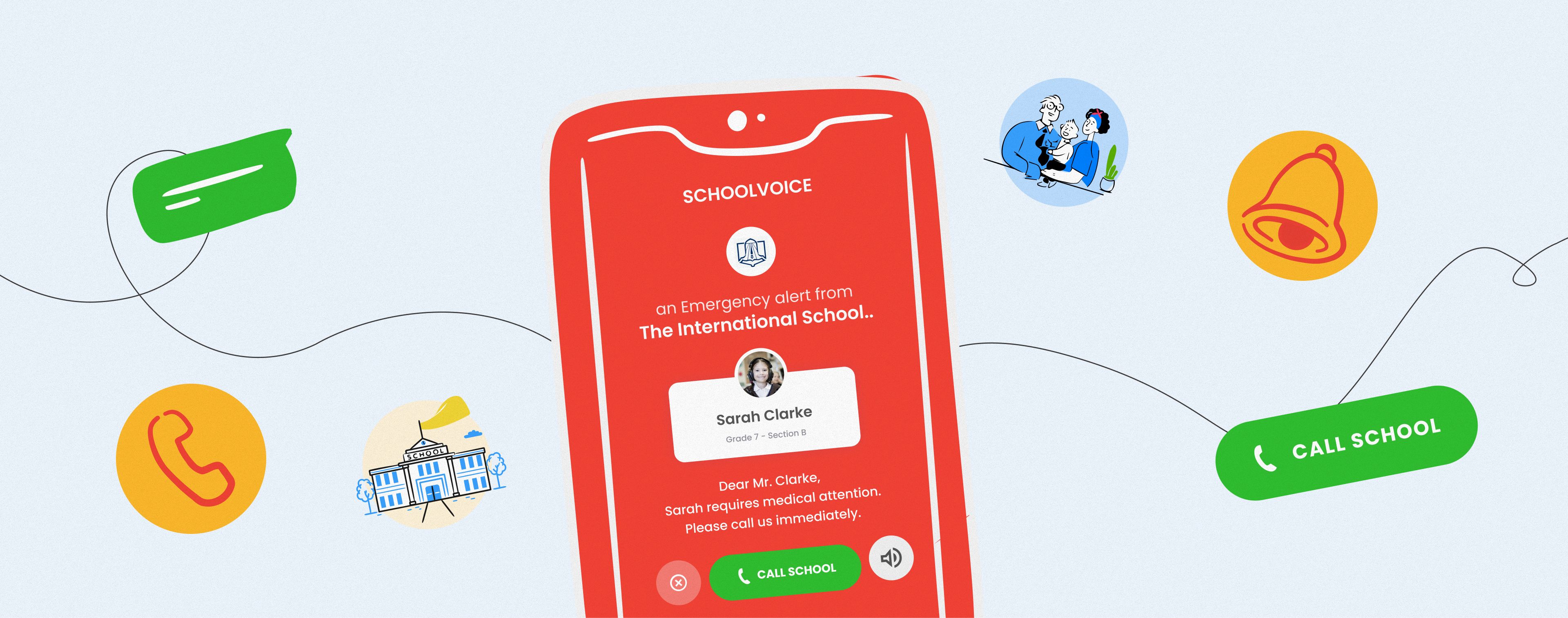
The alert appears full screen with a distinct, loud alert sound, even if the phone is on silent or Do Not Disturb. This is the difference between a message that waits until the weekend and one that is seen in seconds.
Think about how often a parent's phone is on silent for a good reason: in a meeting, focused at work, or a mother resting after the morning school run. Normally, silent mode means a missed call. Here it does not. A parent can silence everything else and still know that the one message that truly matters, something happening to their child, will come through loud and clear. That is a real weight off a working parent's mind: they do not have to choose between focus and being reachable for their child. (Parents are asked to grant the device permissions that let the alert come through without interruption, so it is ready when it is needed.)
3. The parent gets three clear options
When the alert appears, the parent sees three simple choices on screen:
- Dismiss to stop the alert.
- Silent to mute the sound.
- Call School to reach the school right away.
Tapping Call School opens the phone's normal call screen, already dialing the school's emergency contact number, the number the school sets in advance in its emergency settings. The parent never has to know or look up a number: one tap takes them straight to a ready call screen, so the two sides are talking in the same moment the alert arrives.
4. The school has a clear record that the alert went out
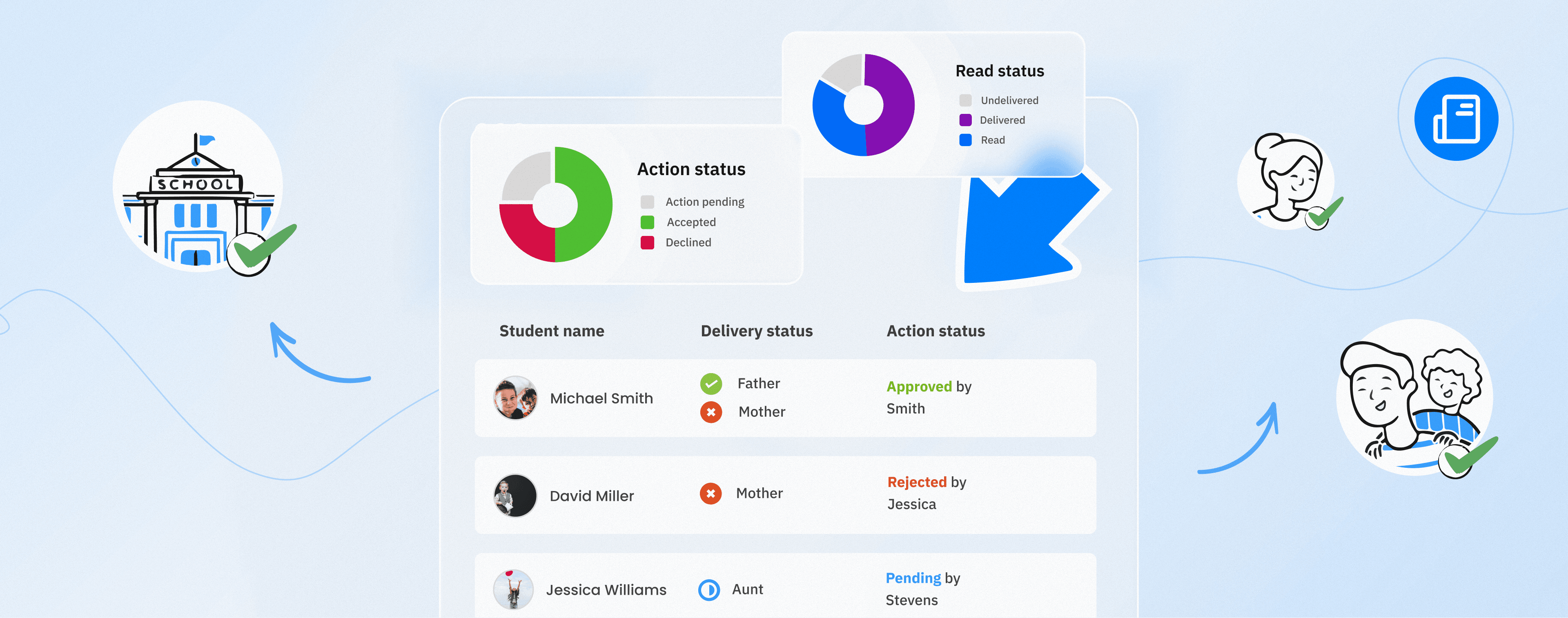
Because the Emergency Alert is a Schoolvoice message, the school can see exactly when it was sent, to which guardians, and whether it was delivered, the same reporting as any other message. The call itself is a normal phone call to the school's emergency number, so parents reach the school directly, without anyone handing out a personal phone.
When Emergency Alerts matter most
The feature exists for the moments no school wants, but every school should be ready for:
- A student is injured on premises and needs a parent reached immediately for a decision or a pickup.
- A nurse needs to confirm a medical detail before acting, for example whether a child is allergic to a specific medication, before any treatment is given.
In both cases, the value is the same: the right people are reached in one tap, in seconds, with a line open to talk. As one honest way to put it: you hope no school ever needs it, but when a moment demands it, the tool has to be ready.
Why WhatsApp groups, SMS, and phone trees fall short in an emergency
Most schools already have several ways to contact parents. In a genuine emergency, each one has a gap:
- WhatsApp and parent groups are noisy and personal. An urgent message can sit unseen among dozens of chats, staff numbers are exposed, and there is no reliable record of who saw what. (This is the same reason schools move day-to-day communication to a dedicated channel: see our guide to the best WhatsApp alternative for schools and the side-by-side comparison.)
- SMS is one-way and easy to miss, with no confirmation that the right guardian actually saw it.
- Phone trees depend on a correct number and someone free to dial it, one contact at a time.
None of these reach every guardian of one student at once, break through a silent phone, and let the school confirm the alert was delivered, in a single tap. That combination is exactly what an Emergency Alert is designed to do.
Why schools choose Schoolvoice for emergency communication
Emergency Alert is not a standalone tool bolted on for a rare event. It is one of the message types built into the same Schoolvoice app a school already uses every day, and that parents already open for their normal updates, part of the communication that inspired Schoolvoice in the first place. That is exactly why it works when it is needed:
- Reach every guardian, instantly. One tap contacts all of a student's guardians at the same time, with no number to look up.
- Impossible to miss. A full-screen alert that overrides silent mode, so an urgent message is not treated like a routine one.
- Already familiar. It arrives in the same Schoolvoice app parents already use for everyday updates, so there is nothing new to install or learn in the moment that matters most.
- Private for staff. The call reaches the school's own emergency number, so no teacher has to share a personal phone.
- A record it was sent. As a Schoolvoice message, the alert shows when it went out, to which guardians, and whether it was delivered.
- Easy under pressure. Simple for staff to send and simple for any parent to answer, which is the whole point when seconds count.
That familiarity matters more than it looks. In an emergency, the last thing a school wants is a tool parents have never opened. Because Emergency Alert is simply a message type inside the app families already use, it reaches them where they already are: no download, no learning curve, no separate app sitting unopened until the day it is needed.
If your school wants to be sure it can reach any family in seconds when it matters most, book a Schoolvoice demo and we will show you how Emergency Alert works in practice.